Find Your Perfect Signal

Cell Tower Signal Finder 5G – Discover 5G, 4G, LTE & 3G Towers Nearby

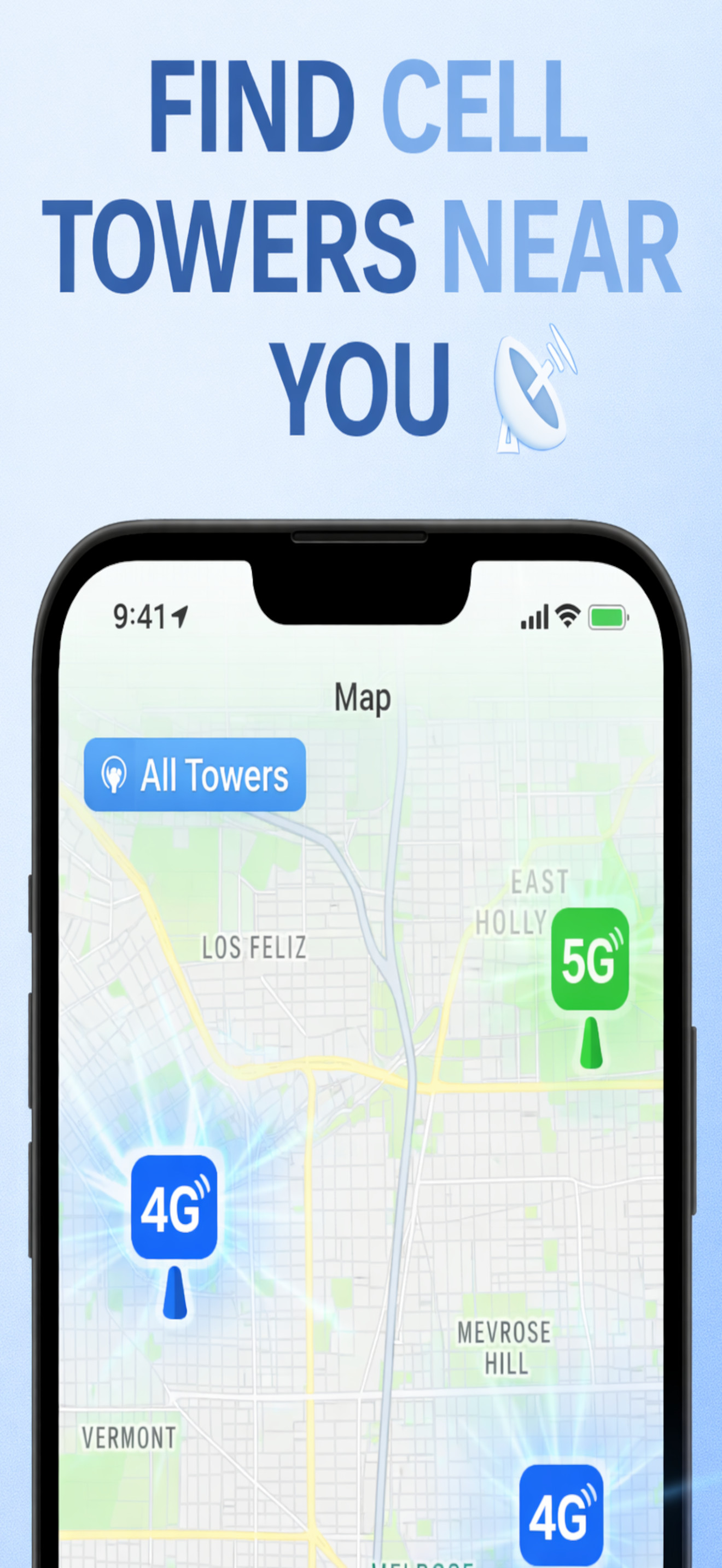
  • πŸ“ View cell towers around your location on an interactive map
  • πŸ“‘ Get real-time signal strength and coverage information
  • πŸ—ΊοΈ Download maps for offline viewing - perfect for remote areas
Get Started Free
β˜…β˜…β˜…β˜…β˜…

Trusted by thousands of users worldwide

Signal Finder app showing interactive map with 5G and 4G cell tower locations and signal strength indicators Signal Finder app displaying detailed cell tower information including carrier, network type, and distance from user location

Explore Tower Networks

Discover different network types and find the best signal

Select Network Type

5G Network

πŸ”΅ Ultra-fast speeds β€’ Low latency β€’ Best for streaming and gaming

Premium feature: View unlimited 5G towers and get detailed signal analysis

πŸ”₯ Still need more power?

Upgrade to Premium and unlock unlimited tower discovery, offline maps, custom alerts, and advanced search features.

See Premium Plans β†’

Choose Your Network Level

Control your signal discovery and make every search perfect for your needs

πŸ“‘

BASIC

Essential tower discovery. Perfect for finding nearby cell towers and basic signal information.

πŸ“Ά

ADVANCED

Enhanced search capabilities. Find towers by carrier, network type, and get detailed signal analysis.

πŸ—ΊοΈ

OFFLINE

Download maps and view towers without internet. Perfect for remote areas and travel.

πŸ””

PROFESSIONAL

Custom alerts, unlimited searches, and professional tools for network engineers and technicians.

What Our Users Say

Join thousands of users finding the best signal locations

β˜…β˜…β˜…β˜…β˜…

"This app is a game-changer! I travel a lot for work and being able to find the best signal spots has saved me countless times. The offline maps feature is incredible."

β€” Sarah M., Business Traveler

β˜…β˜…β˜…β˜…β˜…

"As a network technician, this app is essential. The advanced search and custom alerts help me identify tower issues quickly. Worth every penny!"

β€” James T., Network Engineer

β˜…β˜…β˜…β˜…β˜…

"Finally found an app that shows real 5G towers! The map is accurate and the signal strength indicators are spot on. Premium features are amazing."

β€” Michael R., Tech Enthusiast

Choose Your Plan

Try it free - Get access to basic tower discovery on us!

Free Tier
FREE
  • βœ“ Access to basic tower discovery
  • βœ“ Limited tower types (4 per type)
  • βœ“ Basic map view
  • βœ“ Signal strength indicators
  • βœ— Unlimited tower access
  • βœ— Advanced search
  • βœ— Offline maps
  • βœ— Custom alerts
  • βœ— Ad-free experience
Try Free
Weekly Plan
$2.99/week
  • βœ“ All premium features
  • βœ“ Unlimited tower access
  • βœ“ Advanced search
  • βœ“ Offline maps
  • βœ“ Custom alerts
  • βœ“ Ad-free experience
  • βœ“ All network types (2G-5G)
Subscribe Now

Frequently Asked Questions

How accurate are the tower locations? +
Our app uses multiple data sources including OpenCelliD and UnwiredLabs to provide the most accurate tower location information available. Tower positions are updated regularly to ensure accuracy.
Can I use the app offline? +
Yes! With Premium, you can download maps for offline viewing. Once downloaded, you can view towers and access saved information without needing an internet connection - perfect for remote areas and travel.
What's the difference between free and premium? +
Free tier provides basic tower discovery with limited results (4 towers per type). Premium unlocks unlimited tower access, advanced search by carrier/network/MCC/MNC, custom alerts, offline maps, and a completely ad-free experience.
Which carriers are supported? +
The app supports all major carriers including Verizon, AT&T, T-Mobile, Sprint, and many regional carriers. You can search by specific carrier or view all towers in your area.
How do custom alerts work? +
Premium users can set custom alerts for specific tower conditions. Get notified when towers matching your criteria (carrier, network type, signal strength) are detected nearby. Perfect for monitoring network coverage changes.
How do I manage my subscription? +
You can manage your subscription anytime through your iPhone's App Store settings. Go to Settings > [Your Name] > Subscriptions to view, modify, or cancel your subscription.

Start Your Signal Journey Today

Your perfect connection is waiting to be discovered!

Get the App